A space for your community
Public or private. Send personal invite links, approve join requests, and share the running of it with admins and moderators.
- Invite links
- Join requests
- Roles
- Theme color
For clubs, studios, stores & community programs
Crews gives organizers one home for the whole community: events with RSVPs and capacity limits, real-time chat, a memory wall and friendly challenges against other crews. Built for running stores, fitness studios, gyms, coaches, sports clubs and community programs. Members join free.
No card needed to start. Then $59/month per crew, up to 100 members. Cancel anytime.
Features
Events, conversation and memories live together, in a space you run. Every feature is included in every crew.
Public or private. Send personal invite links, approve join requests, and share the running of it with admins and moderators.
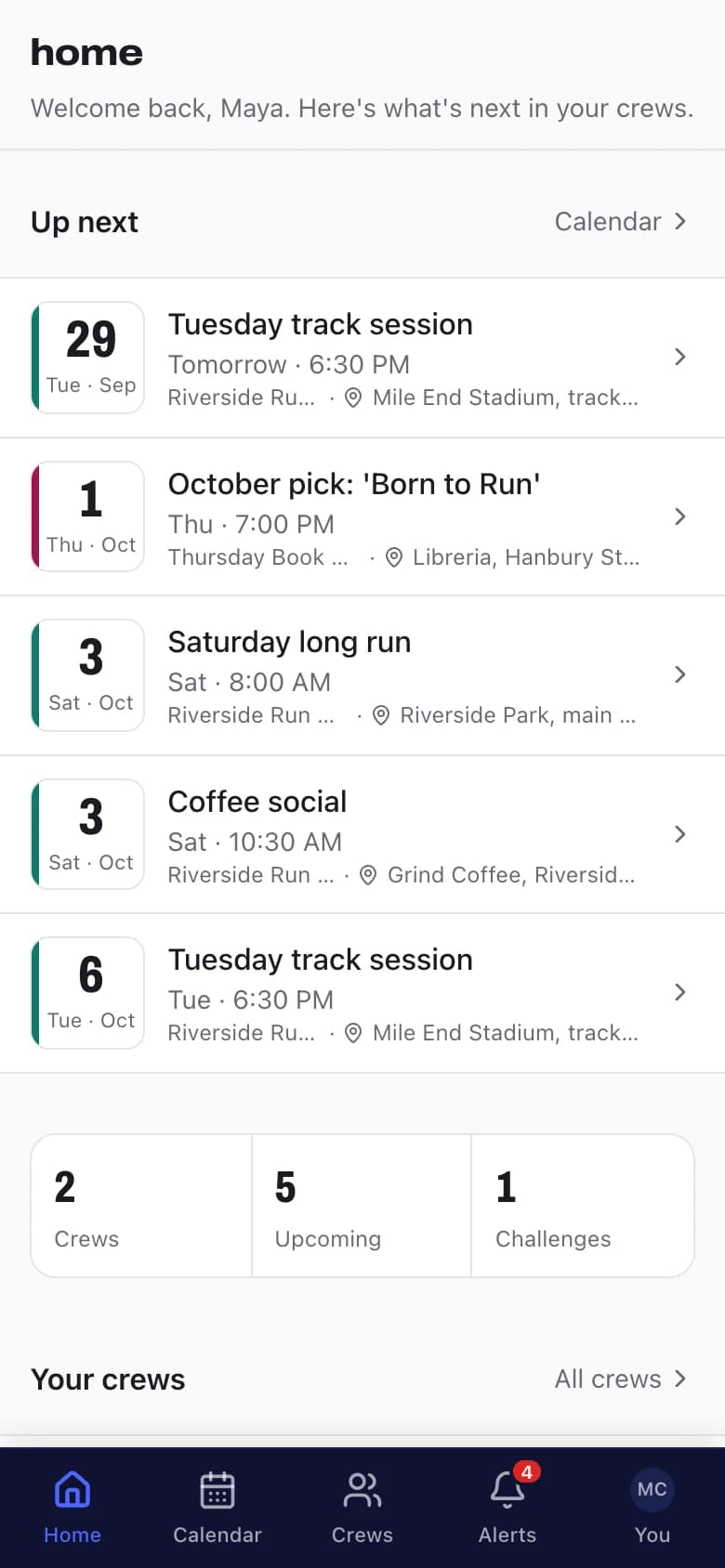
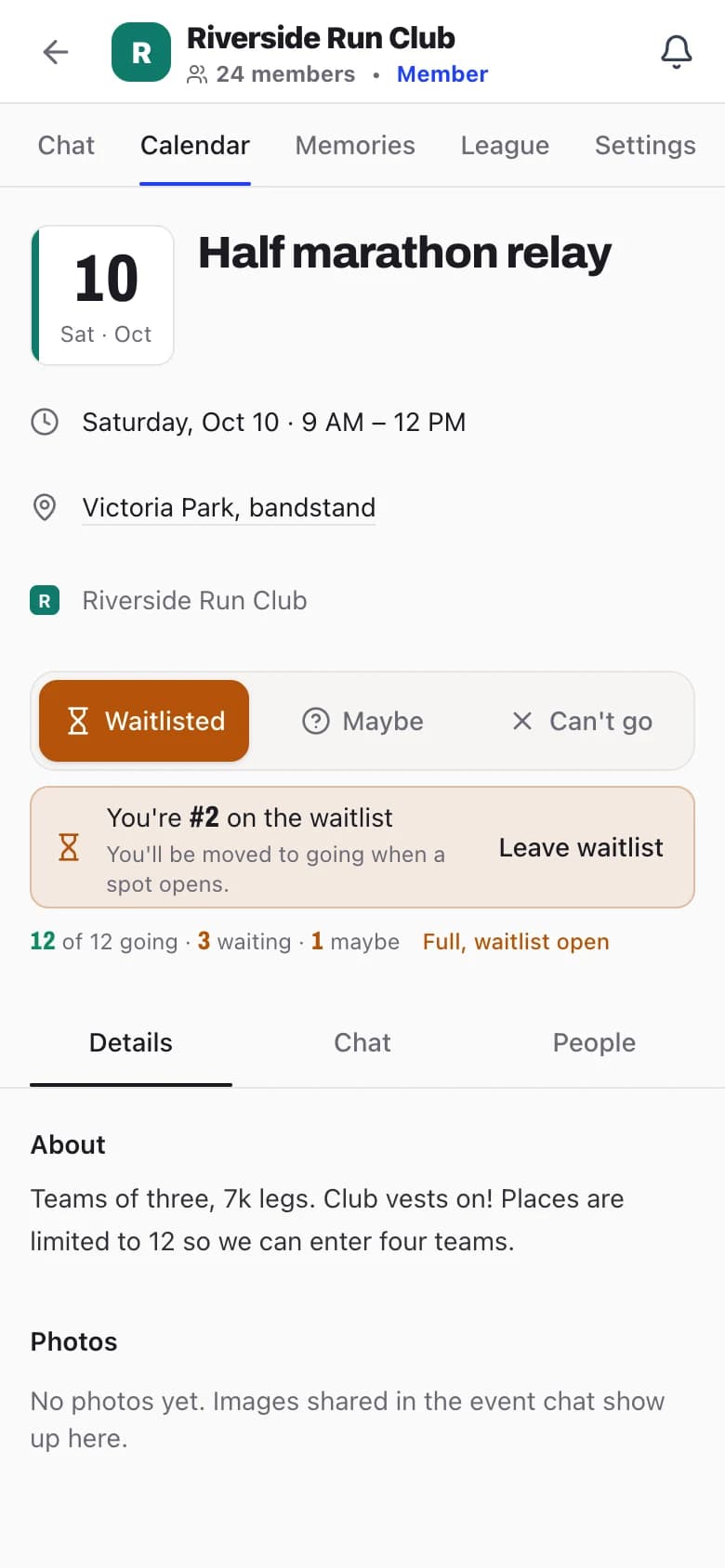
Post runs, meetups, socials and workshops to a shared crew calendar, once or as a weekly series. RSVPs, capacity limits, check-in and attendance history are built in.
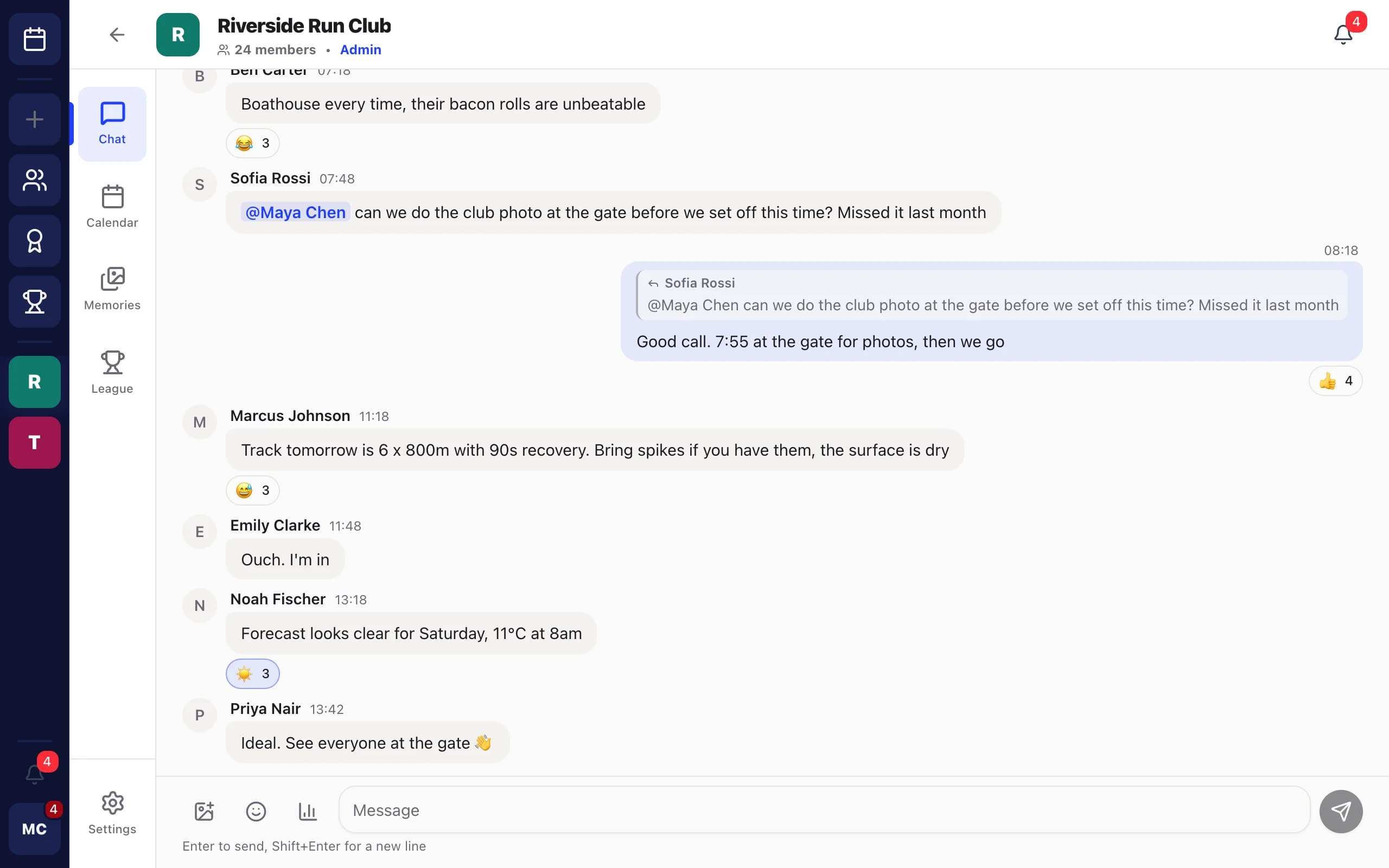
Real-time chat for the whole community, plus a chat for every event, so logistics stay with the event and announcements can be pinned.
Turn a photo from an event or the chat into a post on your crew’s memory wall, so new members can see what they’ve joined.
In-app and push notifications for new events, changes and cancellations, messages and mentions, plus automatic reminders 24 hours and 1 hour before. Members install Crews to their home screen and it opens like any other app.
Inside the app
What a week looks like for a crew on Crews: the run gets posted, people sort out the details, the organizer checks them in, and the best photo goes on the wall.
Plan
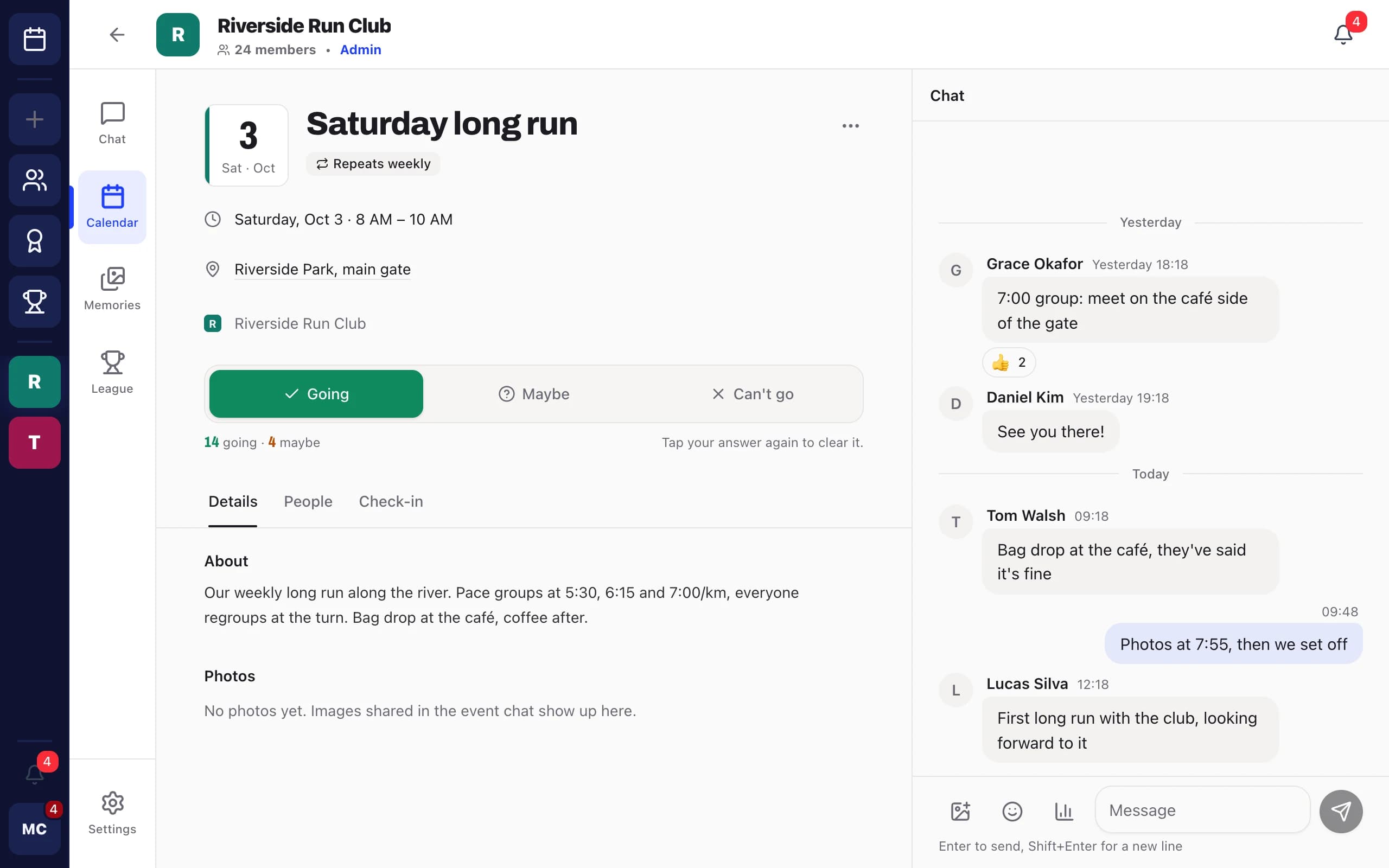
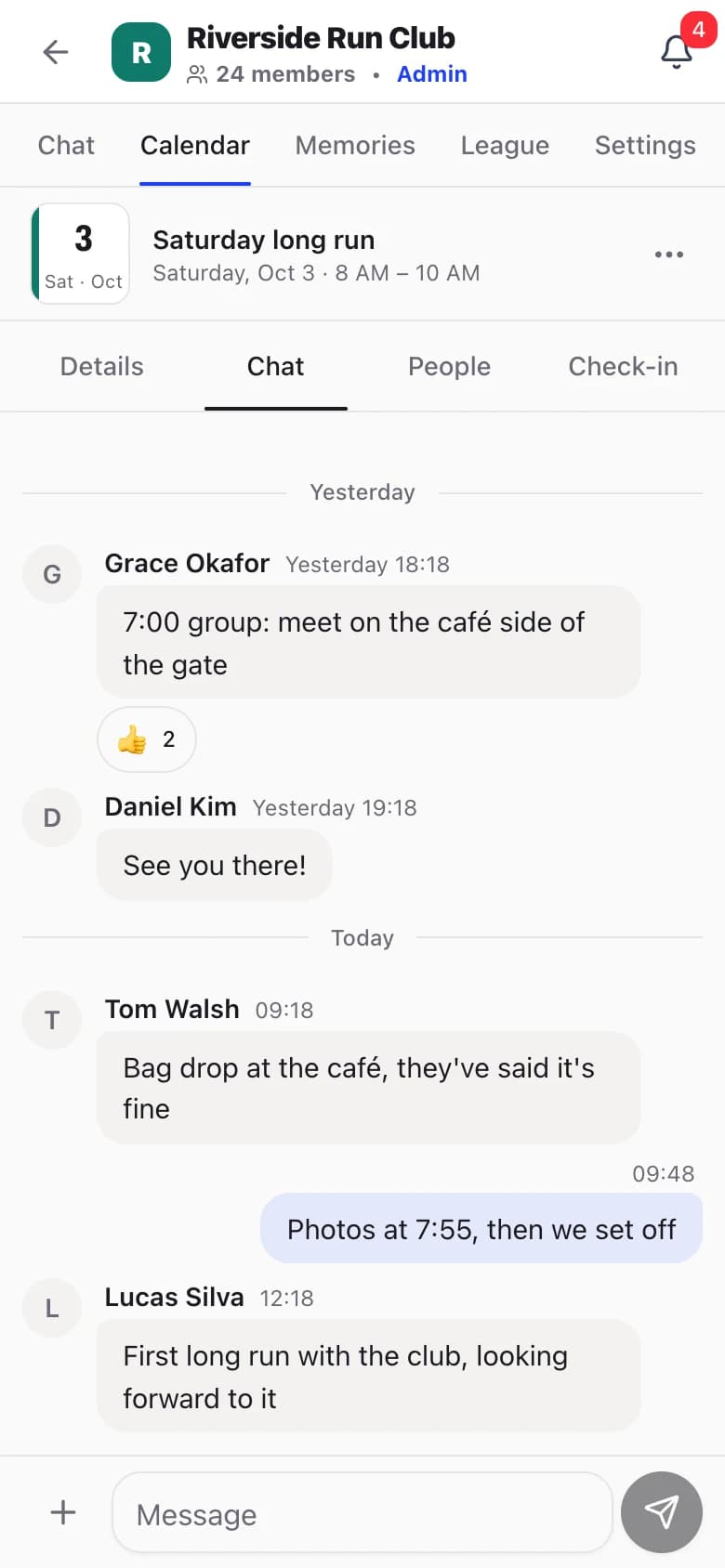
Set the Saturday long run up as a weekly series and every date gets its own RSVPs, chat and check-in. Members answer going, maybe or can’t go right on the event.
Talk
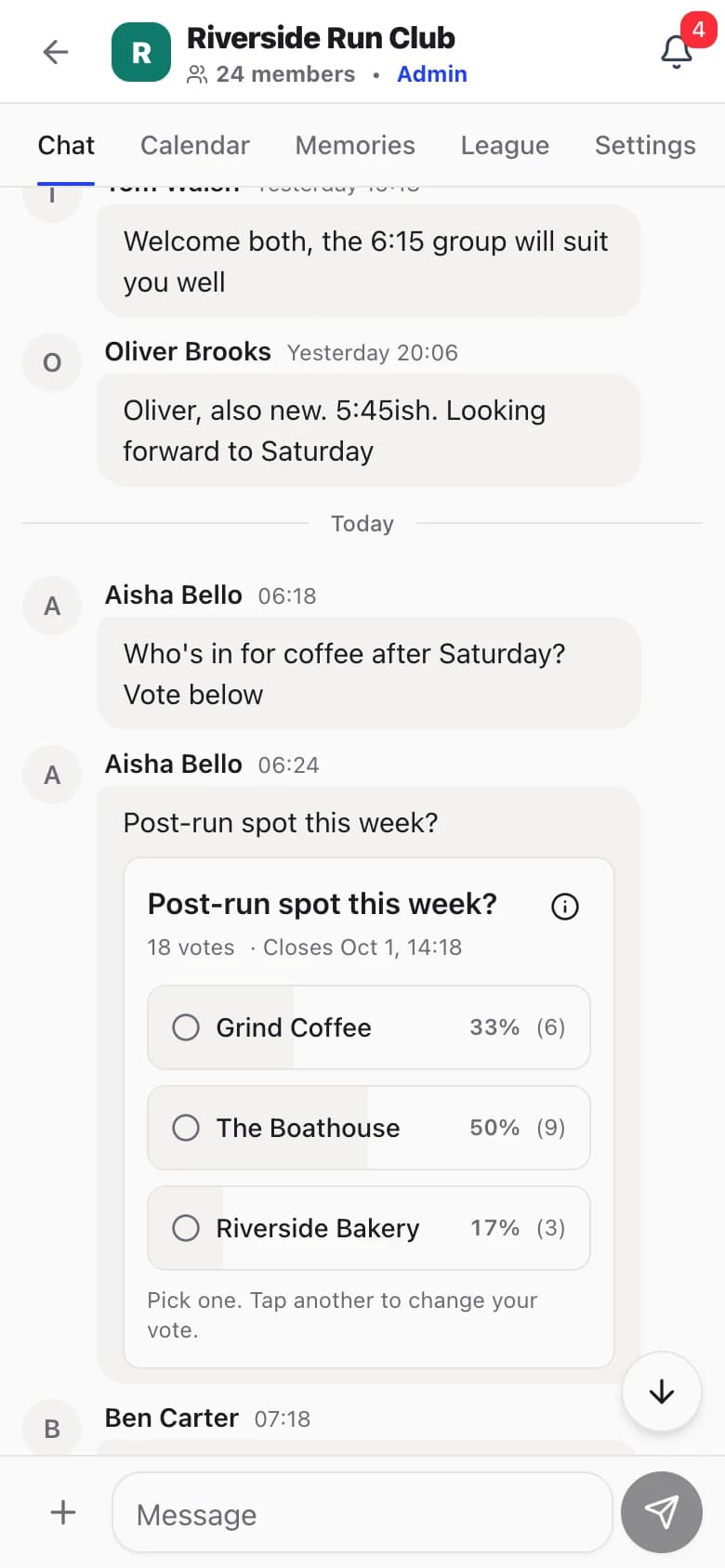
One chat for the whole crew and a separate chat on every event, so the bag drop and meeting point don’t get buried under last week’s photos.
Show up
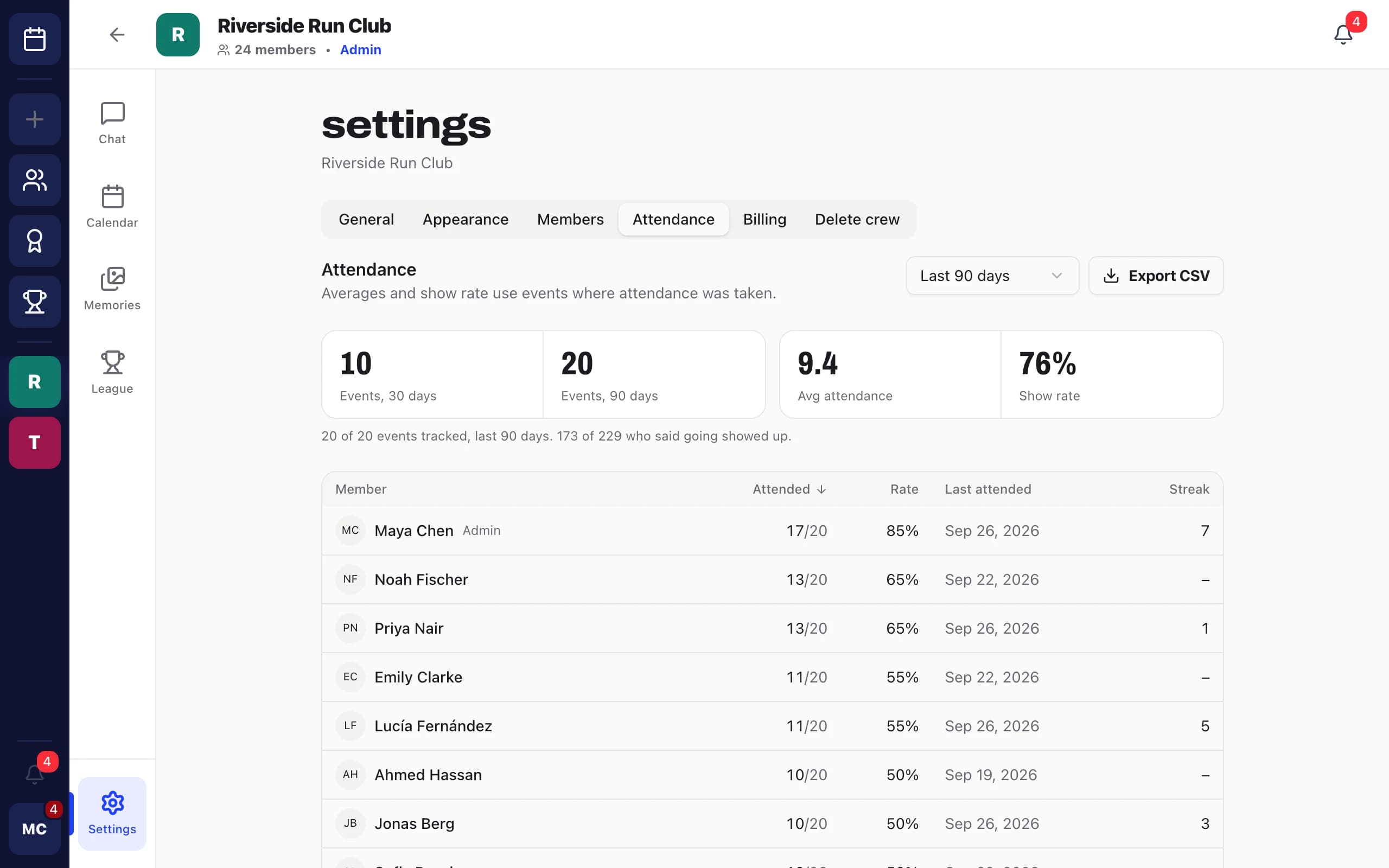
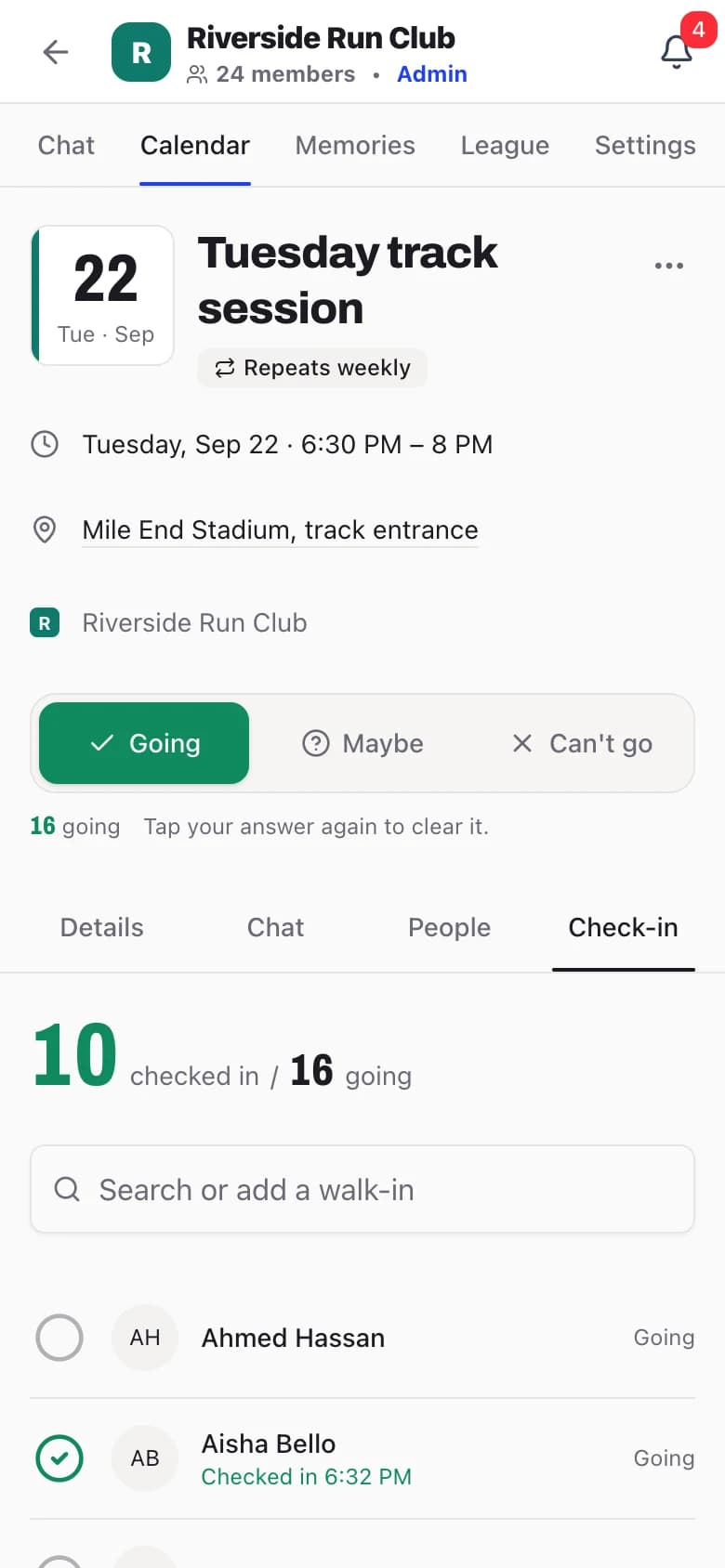
Organizers check people in from the event page on their phone, walk-ins included. Crews compares who came with who said they would.
Remember and compete
Pin the best photos from events and chat to your crew’s memory wall. Enter them in challenges against crews your size to earn league points.
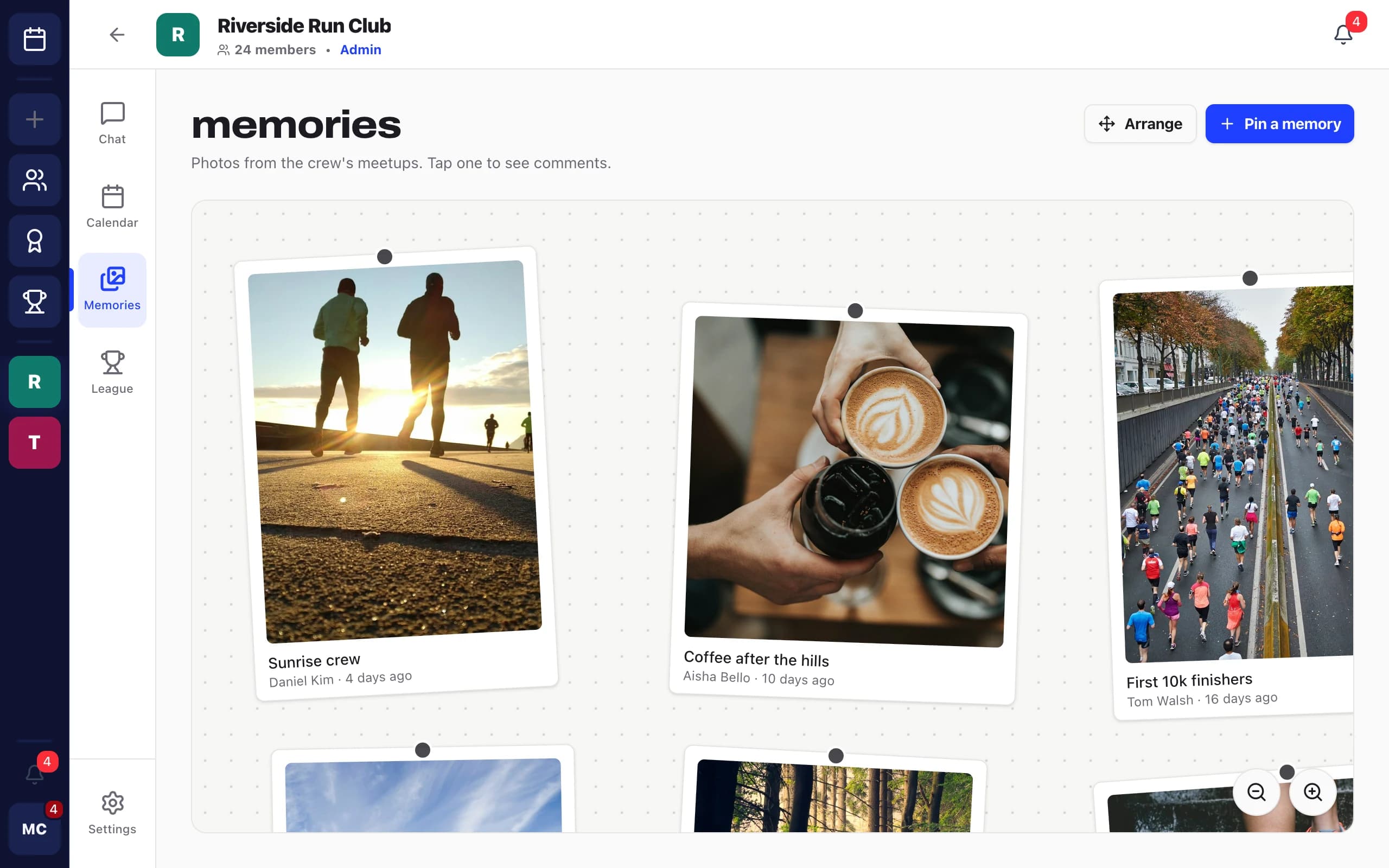
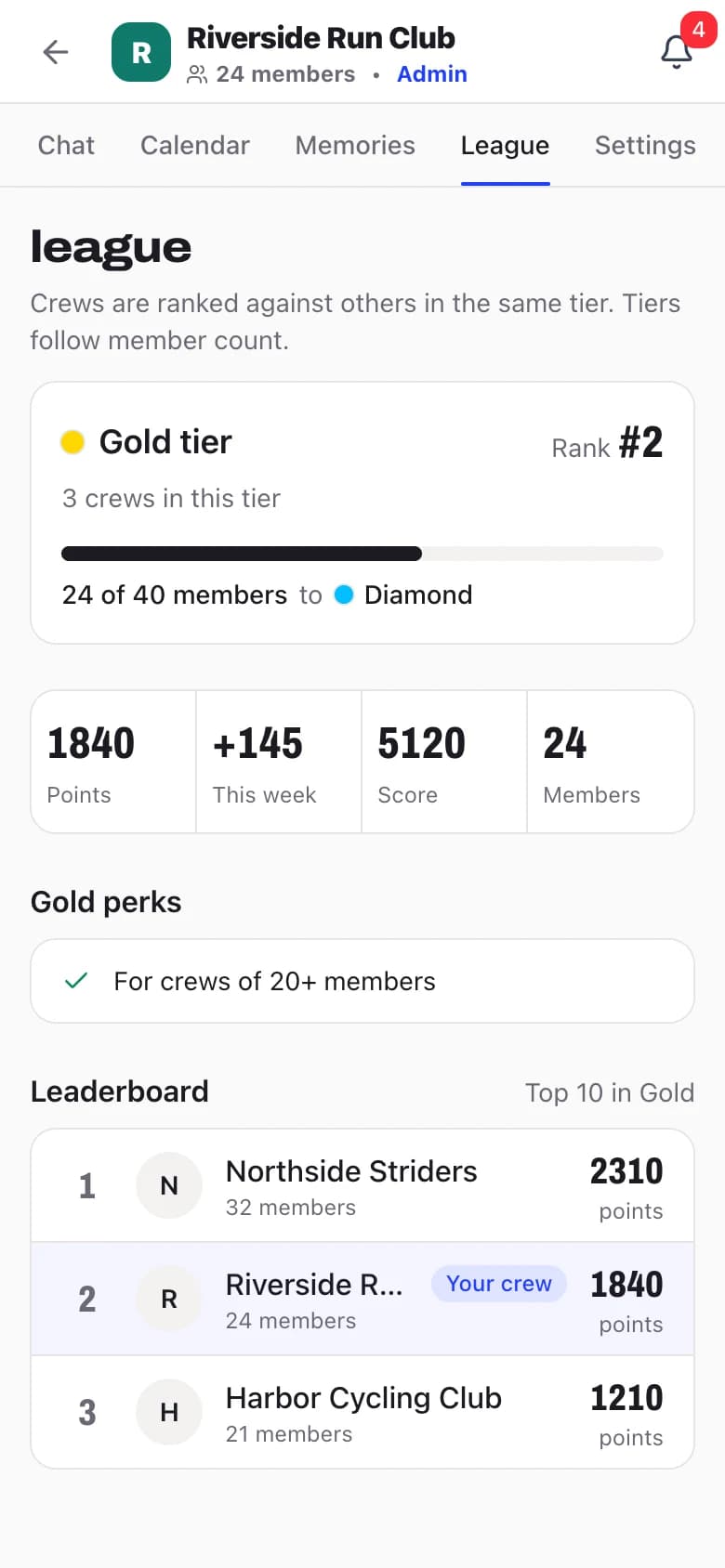
Screens from the Crews app with sample data.
Stores, studios, gyms, coaches, clubs and community programs. Pick yours to see how Crews fits your week.
Leagues & challenges
Crews are grouped into leagues by size, so a 40-member studio community isn't up against a 600-member store run club. Win challenges to earn points and climb your league's table.
Open it to every crew in your league, or invite one crew to a 1v1.
Each crew submits memory posts from its events and chats.
Members vote for the entries they like best.
The winning crew earns 100 league points.
How it works
No setup calls, no onboarding wizard. Four steps and your community has a home.
One tap. No new password, no forms, and no card needed for the trial.
Set it up in a minute. Your first crew comes with a 14-day free trial. Invite members with personal links or open it up to join requests.
Add runs, sessions and meetups to the shared calendar, cap numbers, collect RSVPs and export the list.
Chat, save the best moments to your memory wall, and take on other crews in challenges. Subscribe when you’re ready.
Anything else? Ask on the roadmap board, we read every post.
People who run a group with a budget: running stores and brand run clubs, fitness studios and gyms, climbing gyms, coaches and instructors, sports clubs and leagues, membership clubs, company social programs, language schools and community organizers. If you organize regular events for a community, Crews is built for you.
Your first crew starts with a 14-day free trial, no card needed (one trial per person). After that it is $59 per month per crew, paid by the organizer, with up to 100 members included. Bigger communities add member packs at $18 per month for each extra 100 members. Members always join free.
An admin subscribes to keep the crew running. If nobody does, the crew becomes read-only until someone subscribes. Nothing is deleted. You can cancel anytime; billing is monthly through Stripe.
No. There are no feature tiers: every crew gets every feature. You only pay more if your crew grows past 100 members.
No. Crews runs in the browser on phone and desktop and signs people in with Google. Members can install it to their home screen so it opens like an app, and turn on push notifications for new events, messages and mentions.
Yes. Crews can be public or private. Private crews are joined by personal invite link (tied to an email, single-use, with a role and an expiry) or by approved join request, and individual events can be invite-only.
Yes. Events can repeat weekly, every 2 weeks or monthly, people who are going get push and in-app reminders 24 hours and 1 hour before, and organizers check people in to build an attendance history with show rates and streaks.
Not yet. Payments and membership dues, ticketed events and email notifications are on the public roadmap but not available today. Keep using your current tools for those, and use Crews for events, RSVPs, chat and community.
Every crew is placed in a league (silver, gold, diamond, emerald or legend) based on its size. Crews earn points by winning challenges against other crews, and weekly points reset every Monday.